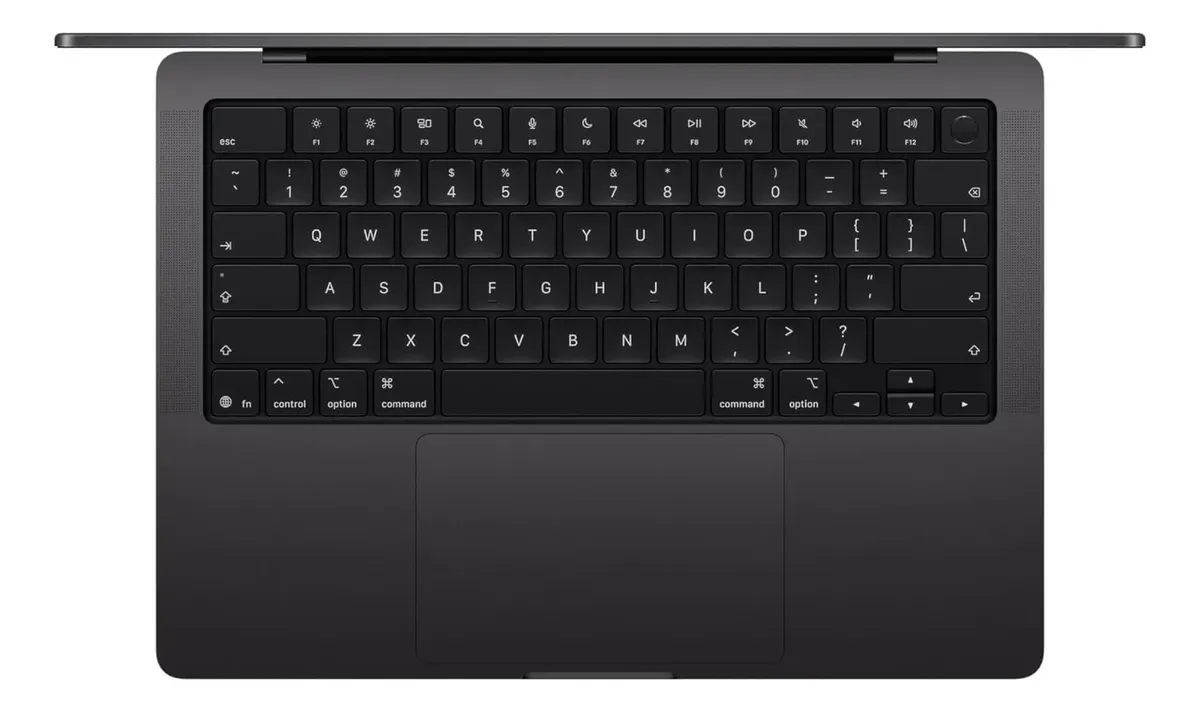
A compact professional MacBook built for demanding creative work, multitasking, AI-assisted workflows and long-term performance without moving into the heavier 16-inch category.
The MacBook Pro 14 M5 Pro 24GB 1TB makes the most sense for users who need more sustained power than a standard MacBook, but still want a portable machine for daily work, editing, development, design, business travel and high-resolution media tasks. It is not the smartest choice for light browsing, basic office work or buyers who mainly want the lowest-cost Mac experience.
The MacBook Pro 14 M5 Pro 24GB 1TB is aimed at people who already know a regular laptop may not be enough. The real question is not whether it is powerful, but whether this exact configuration matches your workload.
This model combines the compact 14-inch MacBook Pro body with an M5 Pro chip, 24GB of unified memory and 1TB of SSD storage. That puts it in a serious professional category, especially for users who edit media, run many apps at once, work with external monitors or want a machine that can remain capable for years.
A compact MacBook Pro built for serious daily workloads
The main appeal of this MacBook Pro is the balance between portability and performance. It is not as light or minimal as a MacBook Air, but it gives you a more capable chip, a better display, stronger connectivity and a more professional cooling profile.
The 14-inch size is important because it keeps the machine practical for commuting, working in cafés, moving between meetings and traveling. At the same time, the Liquid Retina XDR display gives enough quality for photo editing, video work, design review, writing, coding and everyday productivity.
The M5 Pro chip is the heart of the decision. It is designed for users who need stronger CPU, GPU and media performance than the standard M5 configuration. For creative professionals, developers and demanding multitaskers, that extra headroom can matter more than it first appears.
The 24GB unified memory configuration is also a strong middle ground. It gives more breathing room than entry-level memory for large browser sessions, editing apps, design tools, development environments, virtual collaboration, AI-assisted workflows and multiple professional applications open at the same time.
The 1TB SSD is a practical choice for a professional laptop. It gives space for apps, documents, active projects, media libraries, development files and local working folders without forcing the user to depend on external storage from day one.
The chip configuration is the detail buyers should check first
The biggest mistake with this category is assuming every M5 Pro MacBook Pro is exactly the same. The product name may say M5 Pro, but the actual CPU and GPU configuration can vary depending on the version.
Some 14-inch M5 Pro configurations use a 15-core CPU and 16-core GPU, while higher configurations can use an 18-core CPU and 20-core GPU. That difference matters for video editing, 3D work, heavier development tasks, rendering, large photo batches and workflows that depend on sustained graphics performance.
For everyday professional use, the M5 Pro version with 24GB memory and 1TB SSD is already strong. But before buying, the buyer should confirm the exact chip variant, keyboard layout, color, display option, warranty condition and whether the unit is new, sealed, imported or sold with local support.
This is especially important when buying from marketplace listings, where product names can be shortened and variations may appear under the same general listing. A good purchase decision depends on knowing the exact machine, not only the commercial name.
Where this MacBook Pro feels strongest in real use
The MacBook Pro 14 M5 Pro 24GB 1TB is strongest when the user has a mixed workload. That means not just one heavy app, but many tasks running together: browser tabs, messaging, cloud storage, editing software, design tools, spreadsheets, calls, external displays and background processes.
For video editors, the dedicated media engine and ProRes support make this model especially attractive. It can handle modern video workflows more comfortably than a basic laptop, particularly when working with high-resolution footage, color review, exports and multiple layers.
For developers, the combination of M5 Pro performance, fast storage and 24GB unified memory is useful for local environments, IDEs, containers, emulators and multitasking. It is not necessarily the maximum configuration for every software engineer, but it is a very strong portable workstation for many professional coding setups.
For designers and photographers, the display is one of the main reasons to choose the Pro line. The 14.2-inch Liquid Retina XDR panel offers high resolution, wide color support, strong brightness and smooth refresh rates, making it more suitable for visual work than ordinary laptop screens.
For business users who work with presentations, calls, documents, research, dashboards and heavy multitasking, this configuration may feel almost effortless. The value is not only raw speed, but the way the machine stays responsive when the workload becomes messy.
What may disappoint some buyers
This MacBook Pro is not the best match for everyone. If the daily routine is mostly email, streaming, light browsing, online documents and simple office work, the M5 Pro configuration may be more machine than necessary.
The 14-inch display is excellent, but it is still compact. Users who spend long hours editing timelines, managing huge spreadsheets or working with complex layouts may still prefer an external monitor or the larger MacBook Pro size.
Another point to consider is upgrade flexibility. Like modern Apple laptops in general, memory and internal storage are part of the purchase decision. You should choose the configuration carefully because these are not practical user-upgrade items later.
There is also no USB-A port, which can matter if you still use older accessories, flash drives, microphones or office peripherals. The port selection is strong for a modern professional laptop, but some users will still need adapters depending on their setup.
Gaming is not the central reason to buy this machine. The M5 Pro has strong graphics capability for professional and creative tasks, but buyers focused mainly on gaming should compare software availability, game compatibility and platform priorities before choosing macOS.
Performance, display, battery and connectivity in one package
The MacBook Pro 14 with M5 Pro is built around a professional Apple silicon platform. Depending on the exact chip variant, it can offer either a strong M5 Pro configuration or a more powerful upgraded M5 Pro version. Both are designed for demanding productivity, but the higher variant gives more headroom for heavier creative and technical workloads.
The 24GB unified memory is one of the most important practical advantages of this listing. Unified memory is shared efficiently across the system, which helps in creative applications, multitasking, development tools and workflows where the CPU and GPU need fast access to the same memory pool.
The 1TB SSD gives this configuration a more professional feel than smaller storage options. It is better suited for users who keep active projects locally, work with media files, install large applications or want more internal space without immediately relying on external drives.
The 14.2-inch Liquid Retina XDR display has a native resolution of 3024 by 1964 pixels, ProMotion adaptive refresh rates up to 120Hz, wide color support and strong HDR capability. In practice, this means sharper text, smoother movement and a better experience for both creative and everyday work.
Battery life is another major strength of this category. The M5 Pro 14-inch MacBook Pro is designed for long sessions away from the charger, although real endurance depends on brightness, apps, external devices, video calls, editing loads and background activity.
Connectivity is more professional than on lighter Mac models. This configuration includes MagSafe charging, HDMI, an SDXC card slot, a headphone jack and Thunderbolt 5 ports on M5 Pro versions. For creators and professionals, this can reduce adapter dependence and make the laptop easier to integrate into a real workspace.
Wireless connectivity is also modern, with Wi-Fi 7 and Bluetooth 6 on M5 Pro configurations. That helps future-proof the machine for newer routers, faster wireless environments and updated accessories, although actual gains depend on the rest of the user’s network setup.
The buyer who gets the most from this configuration
This MacBook Pro makes the most sense for creative professionals, developers, designers, photographers, editors, architects, consultants, advanced students and business users who need a fast and reliable primary computer.
It is especially attractive for someone who wants a machine that can work both as a portable laptop and as the center of a desk setup. With support for multiple external displays on M5 Pro configurations, it can handle a serious office arrangement while remaining compact enough to travel.
It also fits users who keep laptops for several years. The stronger chip, 24GB memory and 1TB storage give it better long-term comfort than a minimal configuration, especially as apps, browser workloads and AI features become more demanding.
If your work involves video editing, high-resolution photo editing, design review, software development, content creation, music production, business analysis or heavy multitasking, this configuration is easy to justify. It is built for people who lose time when a laptop slows down.
When a different Mac may be the smarter move
A MacBook Air is likely enough if your routine is mostly light productivity, online study, streaming, simple writing, browsing and basic communication. In that case, the MacBook Pro’s extra power may not translate into a meaningful daily advantage.
A standard M5 MacBook Pro may also be enough for users who want the Pro display and build quality but do not need the stronger M5 Pro performance. That can be a better fit for writers, students, managers and lighter creative users who still want a premium MacBook.
The 16-inch MacBook Pro may be better if screen space and sustained heavy performance matter more than portability. Editors, composers, developers and visual professionals who work mostly at a desk may appreciate the larger canvas and bigger chassis.
An M5 Max configuration is more appropriate for highly demanding GPU workflows, advanced 3D tasks, large-scale video production, complex AI work, professional rendering or users who already know they can push the M5 Pro beyond its comfort zone.
How it compares with lighter and more powerful alternatives
Compared with a MacBook Air, this MacBook Pro is more capable, more versatile and better suited to sustained professional workloads. The Air is easier to carry and excellent for general use, but it does not offer the same display class, port selection or performance ceiling.
Compared with the standard M5 MacBook Pro, the M5 Pro version is the better option for users who regularly handle demanding creative or technical tasks. The standard model can be very fast, but the M5 Pro gives more confidence for heavier multitasking and professional workloads.
Compared with the 16-inch MacBook Pro, the 14-inch model is easier to live with on the move. The tradeoff is screen size. If you value portability, the 14-inch body is the sweet spot. If you value workspace above all, the larger model may feel more comfortable.
Compared with an M5 Max model, this M5 Pro configuration is more balanced. The Max version is for users with very specific high-end needs. For many professionals, the M5 Pro with 24GB memory and 1TB storage delivers the better balance between power, portability and daily practicality.
The purchase decision comes down to workload, not prestige
The MacBook Pro 14 M5 Pro 24GB 1TB is a strong choice when the laptop is a serious work tool. It is not just a premium Mac for casual use; it is a compact workstation for people who need speed, display quality, reliable battery life and professional connectivity.
The safest way to decide is to look at your current bottlenecks. If your present laptop slows down with editing software, development tools, large files, external monitors or heavy multitasking, this configuration is a meaningful upgrade.
If your current laptop already handles everything comfortably, or if your workload is light, a less powerful Mac may be more sensible. This model is best when the extra performance will save time, reduce friction and support more demanding work over the long term.
Is the MacBook Pro 14 M5 Pro 24GB 1TB good for video editing?
Yes, it is a strong option for video editing, especially for creators who work with high-resolution footage, multiple apps and professional export workflows. The M5 Pro chip, media engine, fast SSD and 24GB unified memory create a capable editing setup. Very advanced productions may still benefit from higher memory or an M5 Max configuration.
Is 24GB of unified memory enough for professional work?
Yes, 24GB is enough for many professional users, including editors, designers, developers and heavy multitaskers. It gives more headroom than entry-level memory and helps the Mac stay responsive with demanding apps open. Users working with very large 3D scenes, huge datasets or extreme video timelines may need more.
Is 1TB of storage a good choice for this MacBook Pro?
Yes, 1TB is a practical storage level for a professional laptop. It gives room for applications, active projects, media files and work documents without forcing immediate dependence on external drives. Users with large video libraries or long-term archive needs should still plan an external storage strategy.
Can the MacBook Pro 14 M5 Pro replace a desktop computer?
Yes, it can replace a desktop for many professionals when connected to external displays, keyboard, mouse and storage. The M5 Pro configuration supports serious workloads while remaining portable. Users with specialized GPU-heavy workflows or constant maximum-load rendering may still prefer a higher-end desktop-style setup.
Is the 14-inch screen comfortable for daily work?
Yes, the 14-inch display is comfortable for writing, browsing, coding, editing, calls and travel use. The screen quality is excellent, but the size is still compact. For long editing sessions, large spreadsheets or complex design layouts, pairing it with an external monitor can make the experience much better.
Should I choose the M5 Pro instead of the standard M5?
Yes, choose the M5 Pro if you regularly use demanding creative, technical or multitasking workflows. The standard M5 can be enough for lighter users who mainly want a premium Mac experience. The M5 Pro is the better match when performance headroom, external displays and professional ports matter more.
What should I check before buying this MacBook Pro?
Check the exact M5 Pro chip variant, memory, SSD capacity, keyboard layout, color, display option, warranty condition and seller reliability. The product name alone may not reveal every detail. Confirming the exact configuration helps avoid buying a version that does not match your performance or support expectations.
The MacBook Pro 14 M5 Pro 24GB 1TB is worth choosing when you need a compact professional laptop with strong performance, excellent display quality, modern connectivity and enough memory and storage for demanding daily use. It is best for users who treat the MacBook as a serious work machine, not just a premium device for basic tasks.
For creators, developers, advanced professionals and long-term Mac users, this configuration has a convincing balance. The key is to confirm the exact chip variant before buying and make sure your workload genuinely benefits from the M5 Pro level of performance.