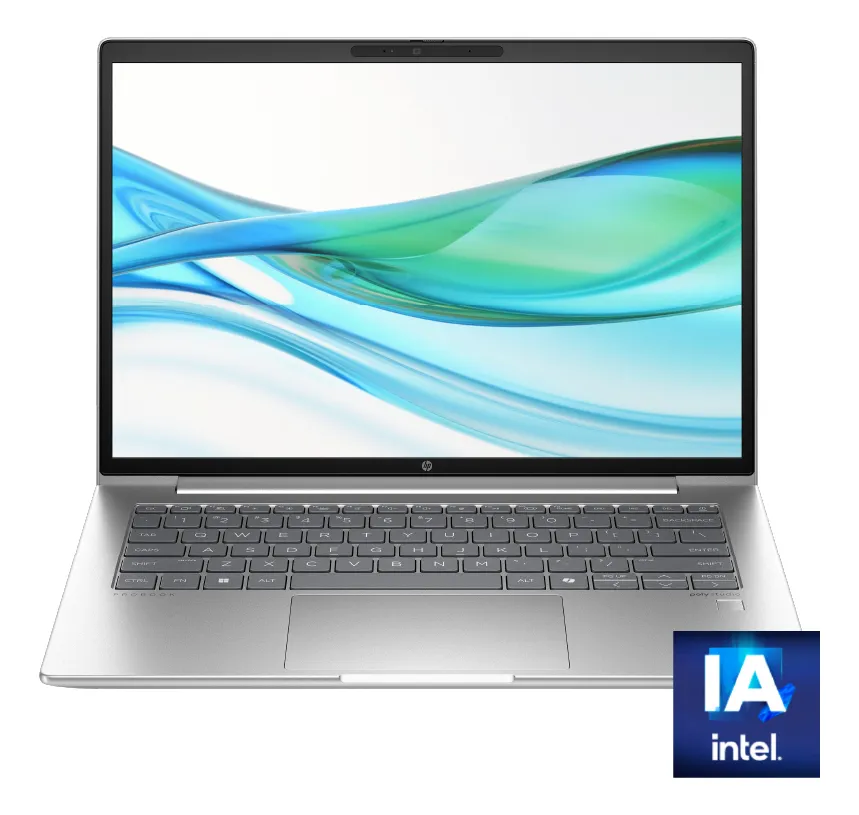
A compact Apple laptop with the A18 Pro chip, a 13-inch Liquid Retina display, 256GB SSD storage and a Citrus finish, aimed at users who want the Mac experience in a simpler, lighter and more accessible configuration.
The MacBook Neo 13-inch A18 Pro makes the most sense for students, home users, light office work, browsing, writing, video calls, streaming and everyday creative tasks. It is not the strongest choice for heavy multitasking, large media projects, advanced 3D work or users who need more ports, more memory or more internal storage from day one.
The MacBook Neo 13-inch A18 Pro review starts with one important point: this is not trying to replace a high-end MacBook Pro. It is positioned as a compact Mac for daily use, with enough performance for common tasks and a design that feels more premium than many basic notebooks.
The 256GB Citrus version is attractive because it combines Apple’s laptop experience with a portable body, modern wireless connectivity and a bright 13-inch display. The real decision is whether its simpler configuration fits your workload, because the product is clearly stronger for mobility and everyday productivity than for demanding professional use.
What the 13-inch MacBook Neo is trying to do
The MacBook Neo is built around a clear idea: bring the Mac experience to users who want a lightweight computer without moving into the heavier, more advanced and more expensive side of Apple’s notebook lineup. The A18 Pro chip gives it a modern Apple Silicon foundation, while the 13-inch screen keeps the machine easy to carry.
This version comes with the Apple A18 Pro chip, a 6-core CPU, a 5-core GPU and a 16-core Neural Engine. That combination is designed for fast everyday response, smooth app handling and better support for AI-assisted features inside macOS.
The 256GB SSD configuration is enough for users who mostly work with documents, browser tabs, cloud storage, streaming services, email, school platforms and light photo libraries. It becomes tighter if you plan to keep large video files, many offline games, heavy creative projects or years of photos directly on the computer.
The Citrus finish gives this model a more expressive look than traditional silver laptops. It is still an aluminum MacBook, so the design feels clean and durable, but the color makes it more personal and less corporate.
The storage and memory choice matters more than the color
The biggest mistake with this MacBook Neo configuration is focusing only on the design and forgetting the long-term impact of memory and storage. The 8GB unified memory can work well for daily tasks, but it is not ideal for people who keep dozens of demanding apps open or work with heavy files every day.
For school, writing, spreadsheets, video calls, presentations, web research and light editing, the configuration is balanced. For advanced video editing, large Photoshop files, software development with multiple virtual environments or heavy multitasking, a Mac with more memory will feel safer over time.
The same logic applies to the 256GB SSD. It is perfectly usable when your workflow is cloud-based or disciplined. It can become restrictive if you prefer storing everything locally, especially media files, downloads, games and project libraries.
Before choosing this model, think less about how it looks on day one and more about how you use a computer after several months. If your current laptop is always full, the smaller storage option may become the first frustration.
Where the A18 Pro model feels strong in daily use
The main strength of the MacBook Neo 13-inch A18 Pro is responsiveness in common tasks. Opening apps, browsing, writing, managing email, attending video meetings and switching between everyday tools should feel fluid for the type of user this model targets.
The 13-inch Liquid Retina display is also a major selling point. With a 2408-by-1506 native resolution, 219 pixels per inch, support for one billion colors and 500 nits of brightness, it is well suited for reading, streaming, studying, photo viewing and general content work.
The 1080p FaceTime HD camera is another practical advantage. For students, remote workers and people who spend time on calls, a better camera matters more than many spec-sheet details. It helps the laptop feel current for online meetings, classes and family calls.
The dual-speaker system, support for Spatial Audio with Dolby Atmos content and the dual-mic array also make the machine stronger for media and communication. It is not a replacement for dedicated audio equipment, but it should be more pleasant than many entry-level notebooks.
Battery life is another reason this model fits mobile use. Apple lists up to 16 hours of video streaming and up to 11 hours of wireless web use, which makes it suitable for school days, work sessions, travel and use away from a desk.
Trade-offs to weigh before choosing this configuration
The first trade-off is ports. This MacBook Neo has one USB 3 USB-C port, one USB 2 USB-C port and a 3.5 mm headphone jack. That is enough for basic charging and accessories, but it is modest for users who connect multiple drives, monitors, hubs or professional peripherals.
The external display support is also simple. It supports one external display up to 4K at 60Hz while using the built-in screen. That is fine for a clean desk setup, but not ideal for people who rely on multiple monitors.
Another point of attention is the 8GB unified memory. Apple Silicon handles memory efficiently, but efficient does not mean unlimited. If your daily routine includes heavy browser sessions, creative apps and background tools at the same time, a stronger configuration will age better.
The 256GB SSD also requires realistic expectations. It works best when paired with cloud storage, external drives or a lighter file routine. It is less comfortable for users who want to store a large media library directly on the Mac.
This model is also not aimed at users who need the performance headroom of a MacBook Pro. The A18 Pro is capable for its category, but professional workflows still benefit from higher-end chips, more memory, faster ports and stronger thermal headroom.
Performance, display, battery and ports in real use
The A18 Pro chip gives this MacBook Neo a modern performance profile for daily computing. The 6-core CPU is split between performance and efficiency cores, which helps balance speed and battery life. The 5-core GPU adds enough graphics ability for media, interface smoothness and lighter creative workloads.
The 16-core Neural Engine is relevant for Apple Intelligence and AI-supported tasks inside macOS. This matters if you use writing tools, summarization, image-related features or apps that take advantage of on-device intelligence.
The media engine supports hardware-accelerated H.264, HEVC, ProRes, ProRes RAW and AV1 decode. This helps with video playback and supported media workflows, although the rest of the configuration still makes it better for light to moderate media use than for heavy professional editing.
The display is one of the strongest parts of the package. The 13-inch Liquid Retina panel has a sharp resolution, solid brightness and wide color support. It is a good fit for reading long documents, watching videos, editing presentations and doing casual photo work.
The wireless setup is modern, with Wi-Fi 6E and Bluetooth 6. That gives the laptop a current connectivity foundation, especially for users with compatible routers, wireless accessories and modern headphones.
Physically, the MacBook Neo is compact and easy to move around. Its 2.7-pound weight and slim aluminum body make it practical for backpacks, classrooms, cafés and small desks. This portability is one of the clearest reasons to choose it over a larger laptop.
The buyer profile that will get the most from it
This MacBook Neo is a strong match for students who need a reliable laptop for notes, research, online classes, presentations and general productivity. The battery life, lightweight body, sharp screen and macOS ecosystem make it easy to live with every day.
It also fits users buying their first Mac. macOS is approachable, the trackpad experience is excellent, and the integration with iPhone can make messages, calls, file sharing, hotspot use and continuity features more convenient.
Home users who mainly browse, stream, write, manage photos, attend calls and handle personal documents should also find the configuration practical. It is not excessive, but it covers the essential experience well.
It can also work for light creators. If you edit simple videos, make social media graphics, prepare presentations, organize photos or write content, the MacBook Neo can be a pleasant compact machine. The key is keeping expectations aligned with its memory and storage.
When a different Mac or laptop makes more sense
A different model makes more sense if you need more internal storage from the start. External drives and cloud storage help, but they do not fully replace the convenience of having more built-in space for large projects.
You should also look higher in the Mac lineup if your work depends on advanced video editing, large design files, coding environments with heavy dependencies, professional music production or intensive multitasking. Those workflows benefit from more memory and stronger chips.
If ports are a daily need, this model can feel too minimal. Users with cameras, external SSDs, audio interfaces, multiple monitors or wired office setups may need adapters often, which reduces the clean simplicity of a compact notebook.
Windows users who depend on specific Windows-only software should also think carefully. The MacBook Neo is attractive as a laptop, but the operating system matters. If your work or study requires software that is not comfortable on macOS, a Windows laptop may be the safer choice.
How it compares with Air, Pro and Windows alternatives
Compared with a MacBook Air, the MacBook Neo feels more like the simpler entry point into the Mac world. The Air is typically the better fit for users who want more headroom, a more established balance between performance and portability, and a laptop that can handle broader workloads with fewer compromises.
Compared with a MacBook Pro, the difference is even clearer. The Pro line is built for heavier sustained work, stronger display options, more demanding creative tasks and users who need professional-level performance. The MacBook Neo is more about everyday computing in a compact form.
Against many Windows alternatives, the MacBook Neo competes through build quality, display sharpness, battery efficiency, macOS and iPhone integration. Windows laptops may offer more varied hardware choices, touchscreens, different port selections or more flexible configurations, depending on the model.
The best comparison is not only about specifications. It is about the ecosystem and workload. If you already use an iPhone and want a simple laptop for daily tasks, the MacBook Neo is easier to justify. If you need maximum configuration flexibility, Windows alternatives may offer more options.
The buying decision in plain terms
The MacBook Neo 13-inch A18 Pro 256GB in Citrus is a good choice when portability, screen quality, battery life, macOS and Apple ecosystem integration are more important than maximum performance. It delivers the Mac experience in a compact and approachable package.
It is less convincing for power users. The memory, storage and port setup make it a laptop for focused everyday use, not a workstation. That does not make it weak; it simply means the buyer needs to understand the intended profile.
Choose it if you want a clean, lightweight Mac for study, work basics, writing, browsing, calls and entertainment. Skip it if you know you need more local storage, more memory, multiple external displays or professional creative performance.
Is the MacBook Neo 13-inch A18 Pro good for students?
Yes, it is a strong fit for many students because it is portable, has a sharp 13-inch display and offers enough performance for research, writing, presentations, online classes and note-taking. The main caution is storage. Students who download many large files or use heavy creative software should consider whether 256GB is enough.
Can the MacBook Neo 256GB handle office work?
Yes, it can handle common office work such as documents, spreadsheets, email, browser-based tools, video calls and presentations. It makes the most sense for users with a moderate workflow. If your office routine involves large databases, advanced design software or constant heavy multitasking, a stronger Mac configuration will be more comfortable.
Is 8GB unified memory enough on the MacBook Neo?
Yes, 8GB can be enough for everyday use, especially when the workload is focused on browsing, writing, streaming, calls and light productivity. It is not ideal for users who keep many demanding apps open at once or work with large creative files. For long-term heavy use, more memory is safer.
Is the 256GB SSD enough for daily use?
Yes, 256GB is enough for users who rely on cloud storage, streaming and a lighter local file routine. It can feel restrictive for people who store large photo libraries, videos, games or creative projects directly on the laptop. Before choosing it, think about your current storage habits honestly.
Can the MacBook Neo connect to an external monitor?
Yes, it supports one external display up to 4K at 60Hz while also using the built-in screen. That is practical for a simple desk setup with one monitor. It is not the best match for users who need multiple external displays or a more advanced professional workstation arrangement.
Is the Citrus color a good choice?
Yes, Citrus is a good choice if you want a MacBook that feels more personal and less traditional. The color does not change performance, but it does make the device stand out. Users who prefer a more discreet professional look may feel more comfortable with a neutral finish.
Is the MacBook Neo better than a MacBook Air?
Not always, because the MacBook Air usually makes more sense for users who want broader performance headroom and a more flexible everyday laptop. The MacBook Neo is better suited to buyers who want a simpler, lighter Mac experience for essential tasks. The better choice depends on workload, not only design.
The MacBook Neo 13-inch A18 Pro 256GB in Citrus is best understood as a compact daily Mac with a strong screen, modern Apple Silicon, good mobility and a friendly overall experience. It is appealing for students, first-time Mac buyers and users who want a reliable laptop for common tasks.
The decision becomes easy when you match it to the right profile. For writing, browsing, calls, classes, streaming, documents and light creativity, it is a very sensible choice. For heavy professional work, demanding multitasking or large local storage needs, a more capable Mac will be the better long-term decision.